One-Click Heal V2
Using the Heitu Super Macro, you can automatically scan the health deficits of raid or party members and intelligently select the appropriate level of healing spells. No need to manually switch targets — just press once to heal.
Warning
Requires Heitu version >= 1.11.6. If your release version is lower, enable Beta Push in Heitu settings.
This is just an example. You can read the Heitu Super Macro documentation yourself or have an AI read it (by providing the URL) and refine this function according to your needs.
Use Cases
- Quick healing in raids
- Auto-heal party members during group quests
- Emergency healing in PvP
How to Use
If the macro character limit is insufficient, you can place the function in Heitu's Super Macro Base Library:
- Open Heitu → Super Macro
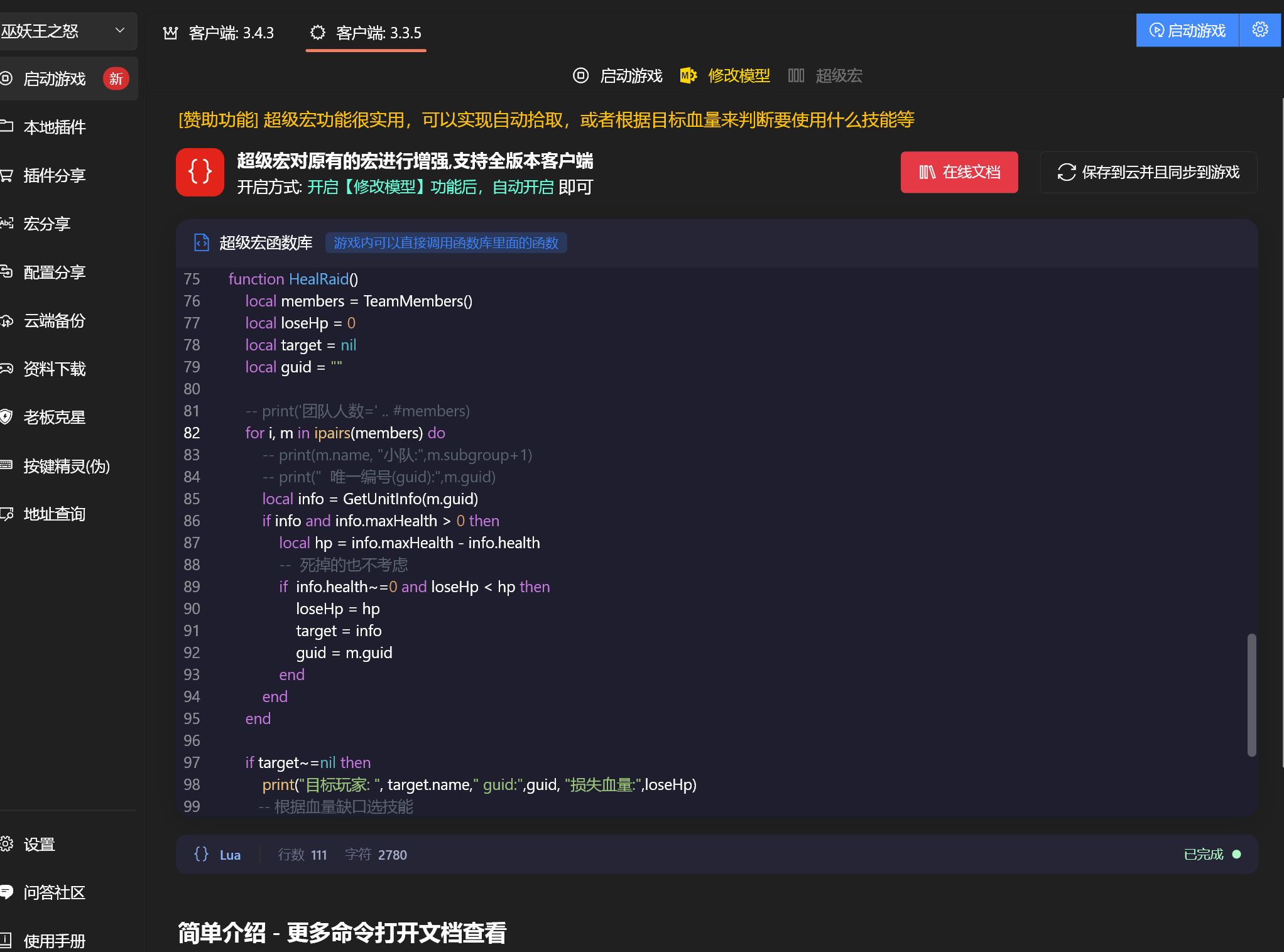
- Enter the following function code in the editor
- In-game, use
/s S HealRaid()to invoke
Or create a new macro in-game with the following content:
/s S HealRaid()Then drag the macro to your action bar and set a keybind. Press once to automatically heal the raid member with the largest health deficit.
Full Code
Enter the following in the Heitu Super Macro editor:
function HealRaid()
    -- ============ Configuration (modify as needed) ============
    -- Three healing tiers, ordered by priority from highest to lowest
    -- minLost: minimum health deficit   maxDist: max cast range (yards)
    -- spellId: spell ID                 name: spell name (for debug output only)
    local LEVELS = {
        {minLost = 5000, maxDist = 40, spellId = 48782, name = "Holy Light"},
        {minLost = 2000, maxDist = 40, spellId = 48785, name = "Flash of Light"},
        {minLost = 1,    maxDist = 30, spellId = 48825, name = "Holy Shock"},
    }
    -- Note: for equal health deficits, higher tiers take priority
    -- =========================================================

    local members = TeamMembers()

    -- Iterate through each healing tier by priority
    for _, lv in ipairs(LEVELS) do
        local bestLost = 0
        local bestInfo = nil
        local bestGuid = ""

        for i, m in ipairs(members) do
            local info = GetUnitInfo(m.guid)
            if info and info.health > 0 and info.maxHealth > 0 then
                local lost = info.maxHealth - info.health
                if lost >= lv.minLost then
                    local dist = Distance(m.guid)
                    if dist <= lv.maxDist and lost > bestLost then
                        bestLost = lost
                        bestInfo = info
                        bestGuid = m.guid
                    end
                end
            end
        end

        -- Current tier has a valid target, cast and exit
        if bestInfo ~= nil then
            print("Healing: " .. bestInfo.name .. " [" .. lv.name .. "] deficit: " .. bestLost .. " distance: " .. Distance(bestGuid))
            Spell(lv.spellId, bestGuid)
            return
        end
    end

    -- No teammates need healing
    print("No healing needed")
end
Then click the [Save and Sync to Game] button in the upper-right corner of the interface.
How It Works
- Scans through the three healing tiers in priority order
- Within each tier, finds the teammate with the largest health deficit who is within range
- If a high-priority (urgent) target is found, casts immediately without checking lower tiers
- If no target is found across all three tiers, does nothing
flowchart TD
    A[Press hotkey] --> B[Iterate healing tiers by priority]
    B --> C{Current tier: Scan team members}
    C --> D[Skip dead / full HP members]
    D --> E[Check health deficit >= tier threshold]
    E -->|Yes| F{Distance <= tier max range?}
    F -->|Yes| G[Record the member with largest deficit]
    F -->|No| D
    G --> D
    E -->|No| D
    C --> H{Current tier found a target?}
    H -->|Yes| I[Cast corresponding spell]
    H -->|No| J{Any lower tiers remaining?}
    J -->|Yes| C
    J -->|No| K[No healing needed]
Function Reference
| Function | Description |
|---|---|
TeamMembers() | Gets the list of all raid/party members |
GetUnitInfo(guid) | Gets detailed member info (health, status, etc.) via guid |
Distance(guid) | Gets the distance (in yards) to the specified member |
Spell(spellId, guid) | Casts a spell on the specified member |
Customization
All adjustable parameters are centralized in the LEVELS configuration table at the top of the function. When modifying, only change the configuration section:
Adjust Healing Tiers
local LEVELS = {
    -- Adjust minLost (health threshold) and maxDist (cast range)
    {minLost = 8000, maxDist = 40, spellId = big_heal_ID, name = "Big Heal"},
    {minLost = 4000, maxDist = 35, spellId = medium_heal_ID, name = "Medium Heal"},
    {minLost = 1,    maxDist = 30, spellId = small_heal_ID, name = "Small Heal"},
}
Change Spells
Replace spellId with your own class's healing spell IDs:
-- Restoration Shaman
{minLost = 5000, maxDist = 40, spellId = Healing_Wave_ID,   name = "Healing Wave"}
{minLost = 2000, maxDist = 40, spellId = Lesser_Healing_Wave_ID, name = "Lesser Healing Wave"}
{minLost = 1,    maxDist = 30, spellId = Riptide_ID,     name = "Riptide"}

-- Restoration Druid
{minLost = 5000, maxDist = 40, spellId = Regrowth_ID,     name = "Regrowth"}
{minLost = 2000, maxDist = 40, spellId = Rejuvenation_ID,     name = "Rejuvenation"}
{minLost = 1,    maxDist = 30, spellId = Swiftmend_ID, name = "Swiftmend"}
Use Health Percentage (instead of absolute deficit)
If you prefer percentage-based thresholds:
-- Replace the condition with pct
local pct = (info.health / info.maxHealth) * 100
if pct < 60 and dist <= lv.maxDist then
    -- Heal if health is below 60%
end
Only Heal a Specific Party
for i, m in ipairs(members) do
    -- Only heal members of party 1 (subgroup is 0-indexed)
    if m.subgroup == 0 then
        -- ... follow-up logic
    end
end
Add More Tiers
The config table supports any number of tiers. Just add new rows:
local LEVELS = {
    {minLost = 8000, maxDist = 40, spellId = 48782, name = "Holy Light"},
    {minLost = 5000, maxDist = 40, spellId = 48785, name = "Flash of Light"},
    {minLost = 2000, maxDist = 35, spellId = 48825, name = "Holy Shock"},
    {minLost = 1,    maxDist = 30, spellId = 25235, name = "Renew"},  -- New tier 4
}
Notes
- You must enable the Model Editing feature in Heitu first; Super Macro will take effect automatically
- It is recommended to disable antivirus software or add the Heitu directory to the whitelist
- Spell IDs can be looked up via database websites (e.g., db.heitu.org)
- Supports all 60/70/80 version clients (112/114/243/253/343)