Using the Accelerator
When launching the game with Heitu, if the accelerator is not working, try the following methods.
How to Check if Acceleration is Working
If you feel your latency is high, try stopping the accelerator during gameplay. If the game does not disconnect, the accelerator is not working.
For 1.14/2.5.3/3.4.3 Clients
If the accelerator is not working on any of the above three clients, try the following:
1 Start the accelerator and enable acceleration, but do not accelerate the Heitu application.
2 In the Heitu console, restart Tangtang Proxy.

3 Launch the game.
If the accelerator still doesn't work after these three steps:
Try enabling Network Compatibility Mode.

Try switching the accelerator's acceleration mode. Using Axeniu Accelerator as an example:
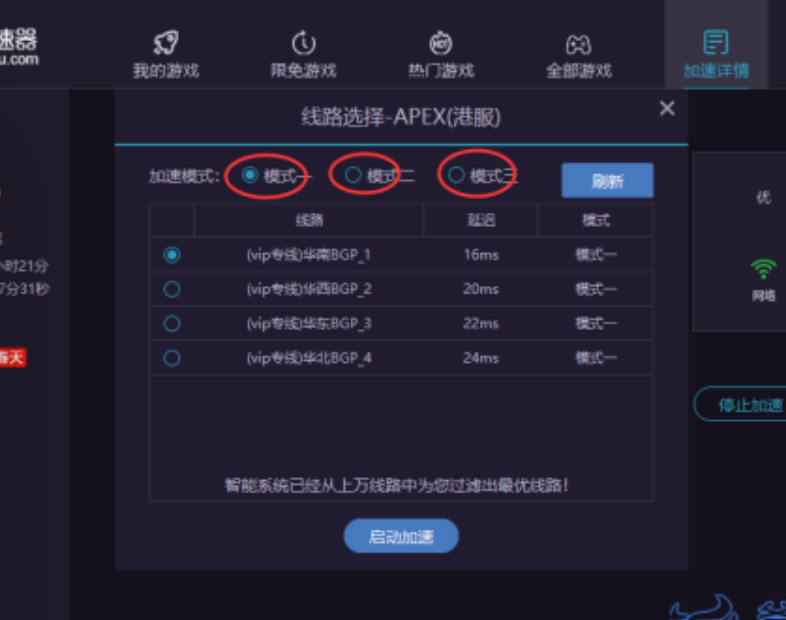
Images are for reference only. The interface may differ as the software is updated.
Accelerator Still Not Working
Use the ultimate move: contact accelerator customer support. Don't be shy — accelerator customer support responds very quickly.